Better organised. More time.
Every booking. One place. A calmer day.
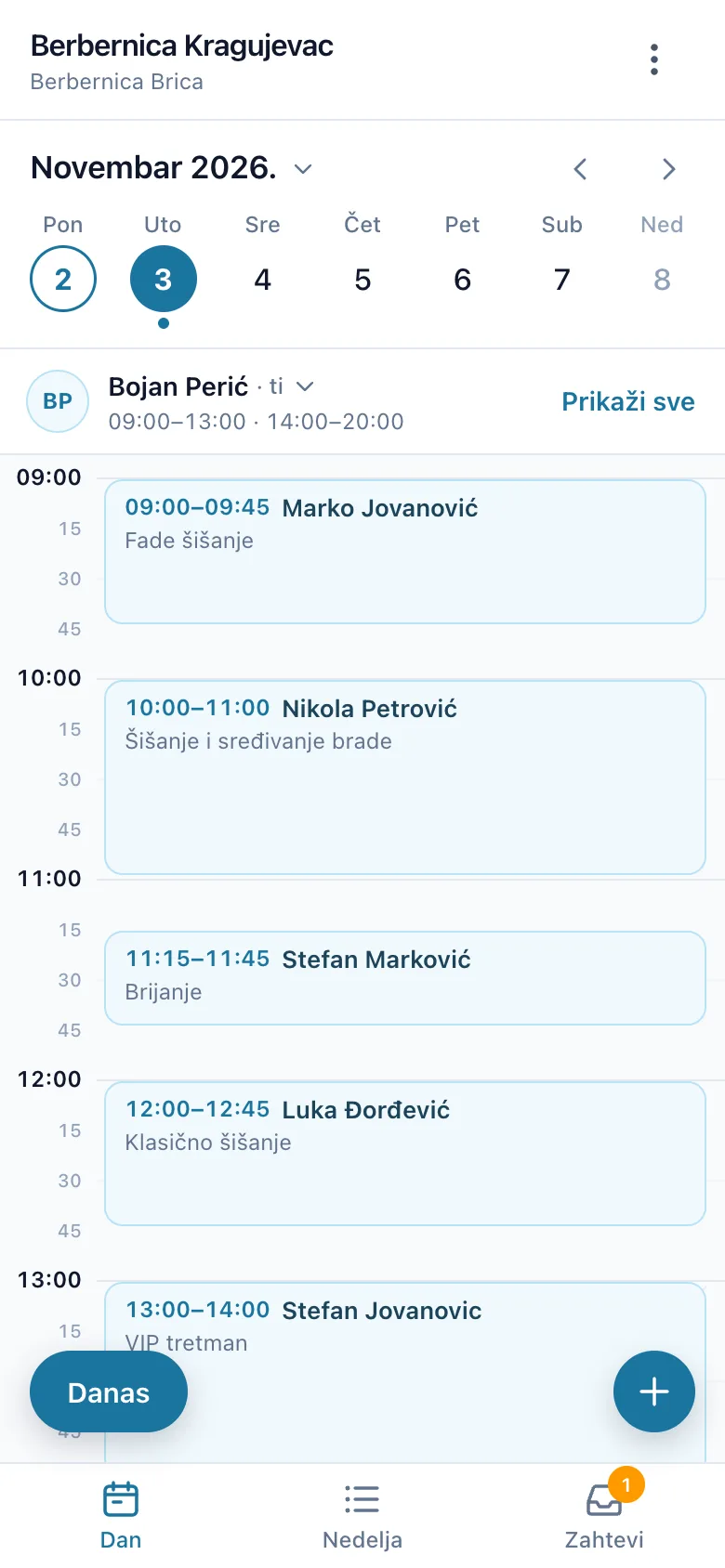
Online booking for your business. Clients choose a free time, and you and your team see the whole day at a glance.
No double bookings.

Better organised. More time.
Online booking for your business. Clients choose a free time, and you and your team see the whole day at a glance.
No double bookings.
Online booking
Even when you can't pick up.
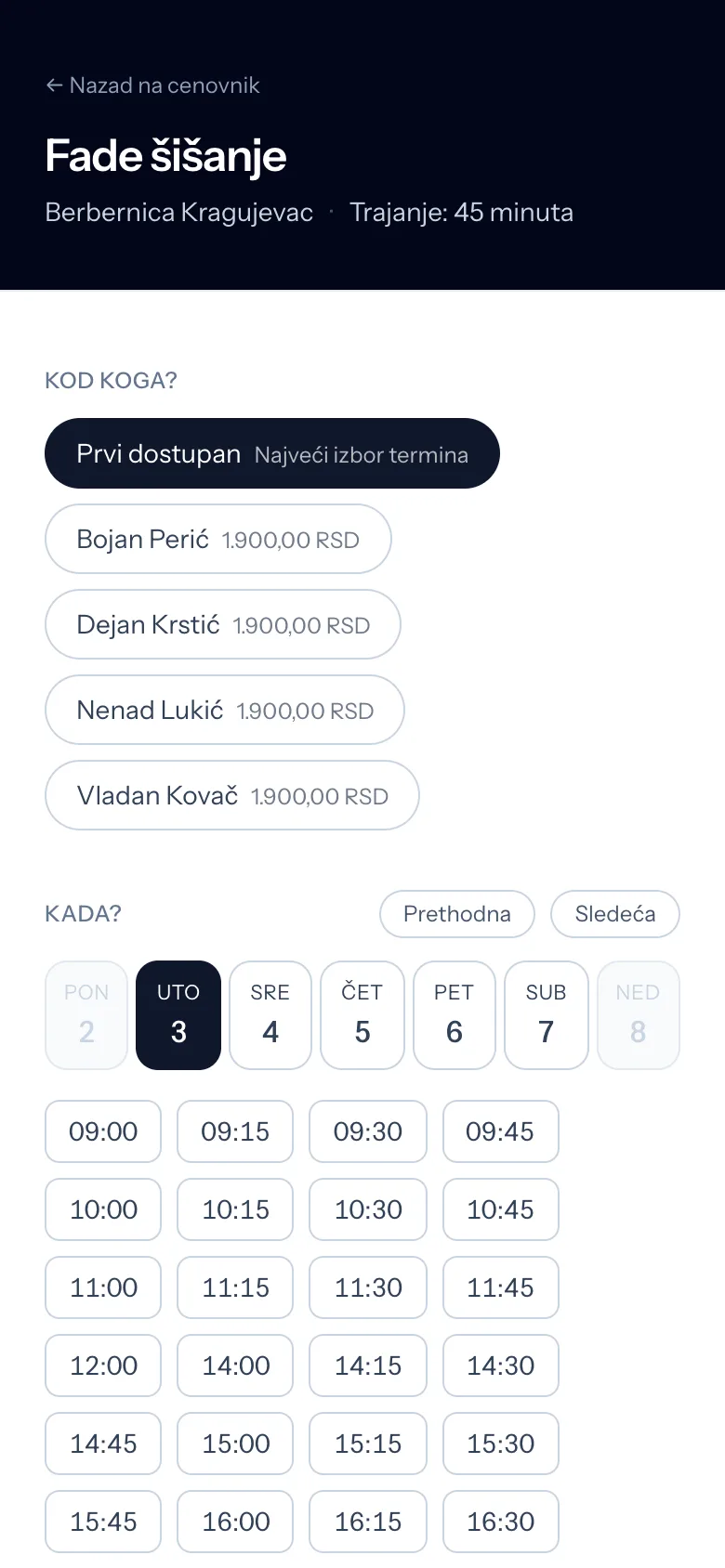
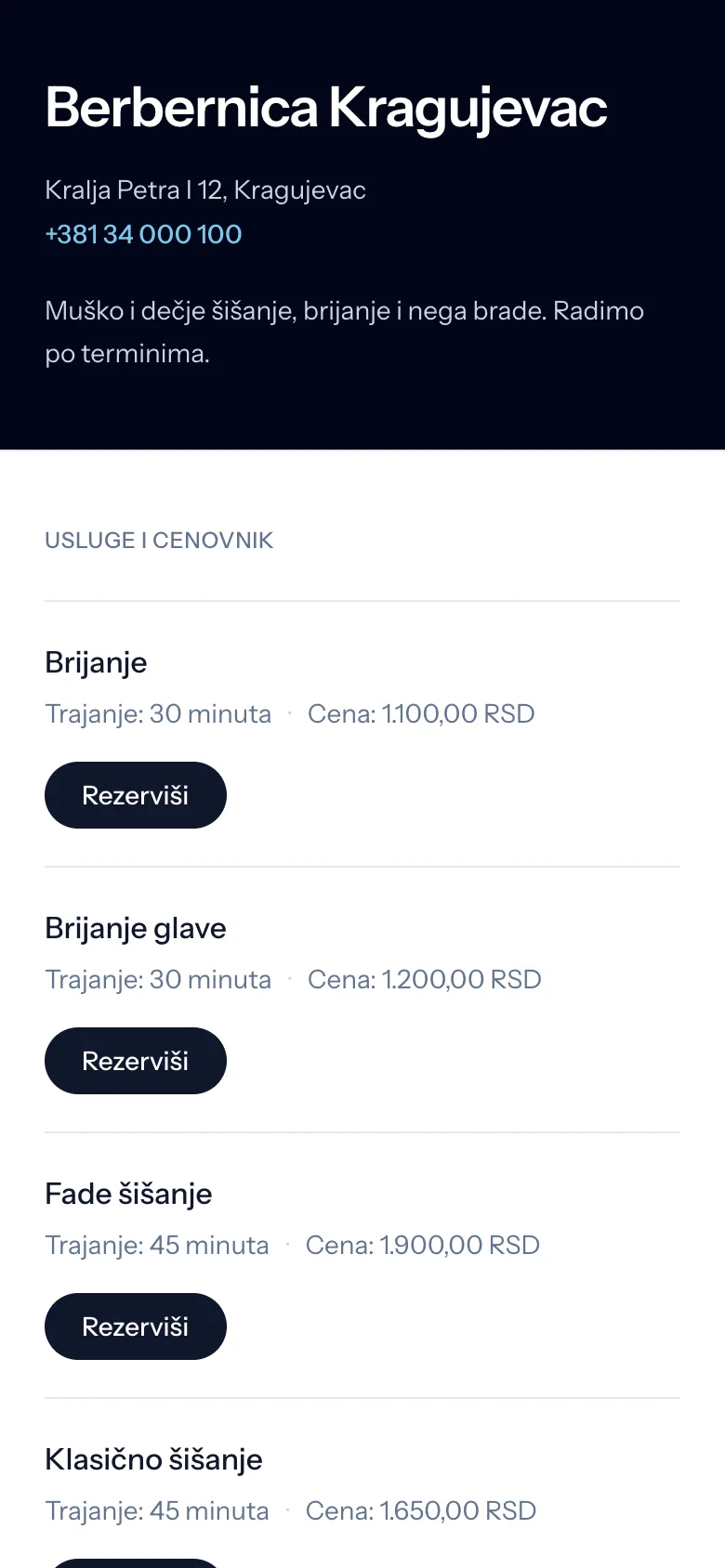
The service, the staff member and a free time — all on your booking page.
Bookings at any hour, even outside working hours.
Print it for your window or your business card, and follow in the panel how often it was scanned.
Clients get a confirmation and a link to cancel, and you get notified.

Everything in its place
Organisation that follows the way you work.
The calendar never lets two appointments take the same staff member at the same time, from the panel or from the booking page. The breaks before and after a service count too.
Shifts, a lunch break, Saturdays until two, annual leave, sick days, public holidays… Each staff member has their own hours or follows the salon's.
One business, and each salon with its own services, prices and staff. A price can depend on who does the work, too.
The number of visits and notes with an author and a date, so everyone on the team knows who they are working with.
An app for owners and their team: today's appointments, a new booking in a few taps, and a notification when a client books.
We will show you in a demo, with your salon's services and staff.
Getting started
Leave your contact details and tell us how your team works. We get back to you within one working day.
We add your services, staff and opening hours. There is nothing to install.
You and your team share one calendar, and clients book through your page.
Before you get in touch
Contact
We will show you how XOR Booking would work in your salon.
We are onboarding our first customers now. We set up your account together with you, until everything works the way your salon does.